There is no live demo. Here is the running product instead.
Every image on this page is a screen grab from an installed copy of AlumDeck with content loaded into it. Nothing has been drawn in a design tool, retouched or staged with a screen that does not exist. If a screen looks plain, that is what it looks like.
The install is branded as Riverside College Alumni Association. That institution is our own invention, used to fill a demo database with realistic content. The software is real, the college is not, and we are not going to dress up a made-up customer as a real one.
What your alumni see before they ever log in
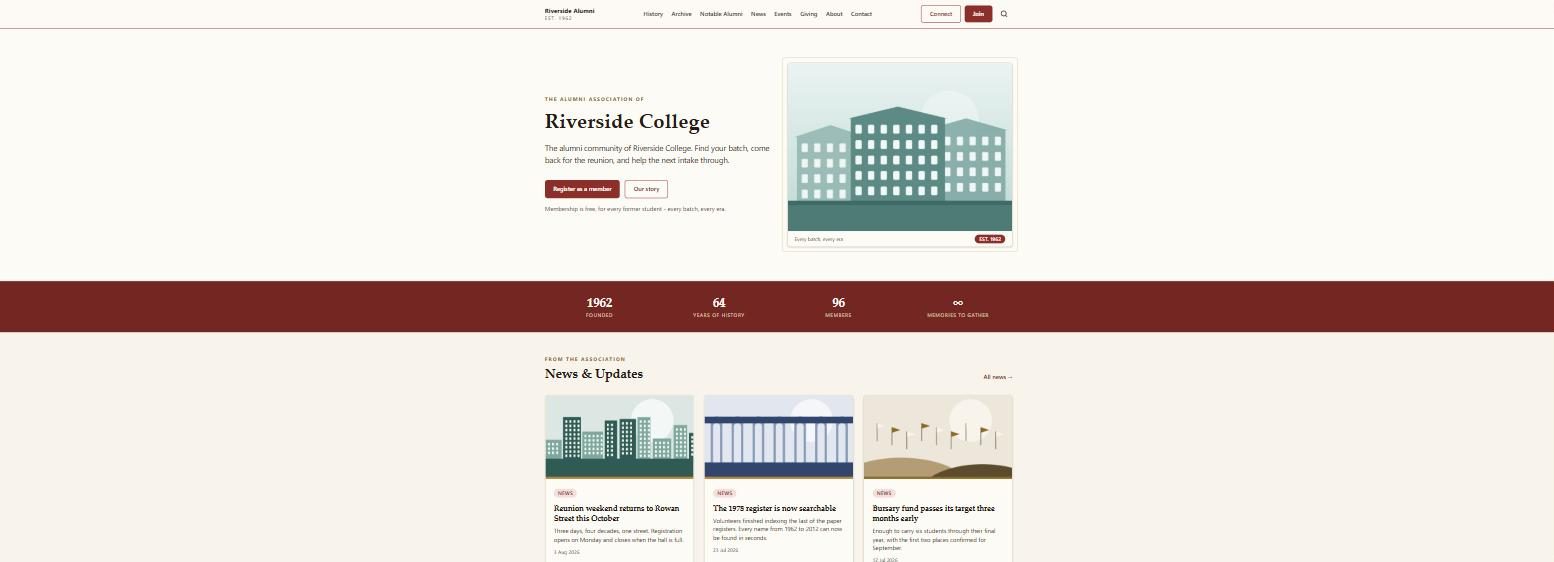
This is the front page of an AlumDeck install. Notice that it is a website, not a login box: the hero, the member count, the news teasers and the calls to action are all public. Most of your alumni will only ever see a page like this, sent to them by a classmate.
Worth noticing: every block on that page is arranged from the admin panel, and so are the logo, the colour, the menu and the footer columns. There is no theme to buy and no template file to edit to get a different homepage.
The count of members is pulled from the database, so it is right without anyone updating it.
The archive that keeps the site alive between reunions
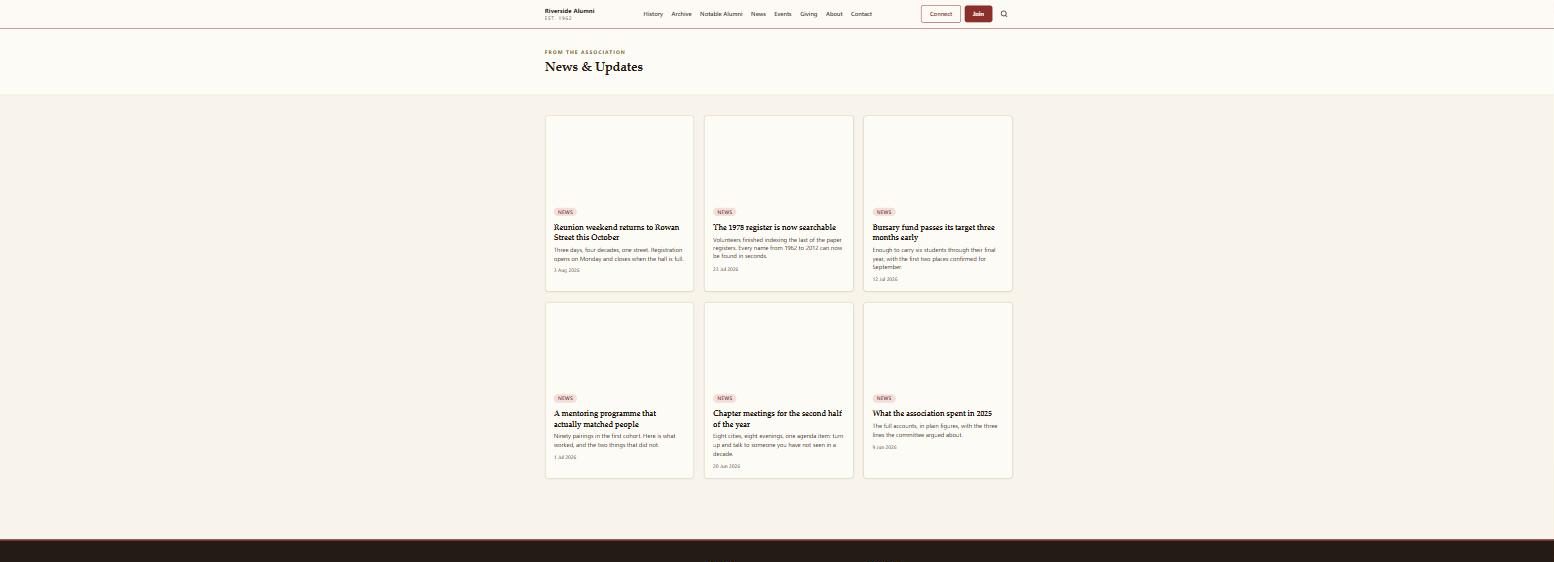
The news index, with cover images, dates and categories. What a buyer should notice here is that it is a real publishing tool rather than a noticeboard: posts have images, excerpts, categories and their own SEO title and description, and the archive stays public so search engines can index the history of your institution.
The same posts feed the newsletter. You write once, publish to the site, and mail it to the members who opted in, instead of rewriting the story into an email tool.
This is also where the honest limit sits. AlumDeck sends newsletters to your own member list. It is not a marketing automation platform with drip sequences and lead scoring, and it is not trying to be.
Reunions, chapter meets and the AGM, with a headcount
The events page, showing what is coming up with dates, locations and an RSVP for each one. The parts to look at are the capacity limit and the RSVP list behind it: you set a cap, the page stops taking replies when it is reached, and you can export the attendee list for the caterer or the door.
Events are public by default, so an alumnus who never registered can still see the reunion and reply to it. That is the difference between a headcount of forty and a headcount of four.
Past events stay on the site as a record, which is what the photo albums by era hang off later.
More on events and RSVPs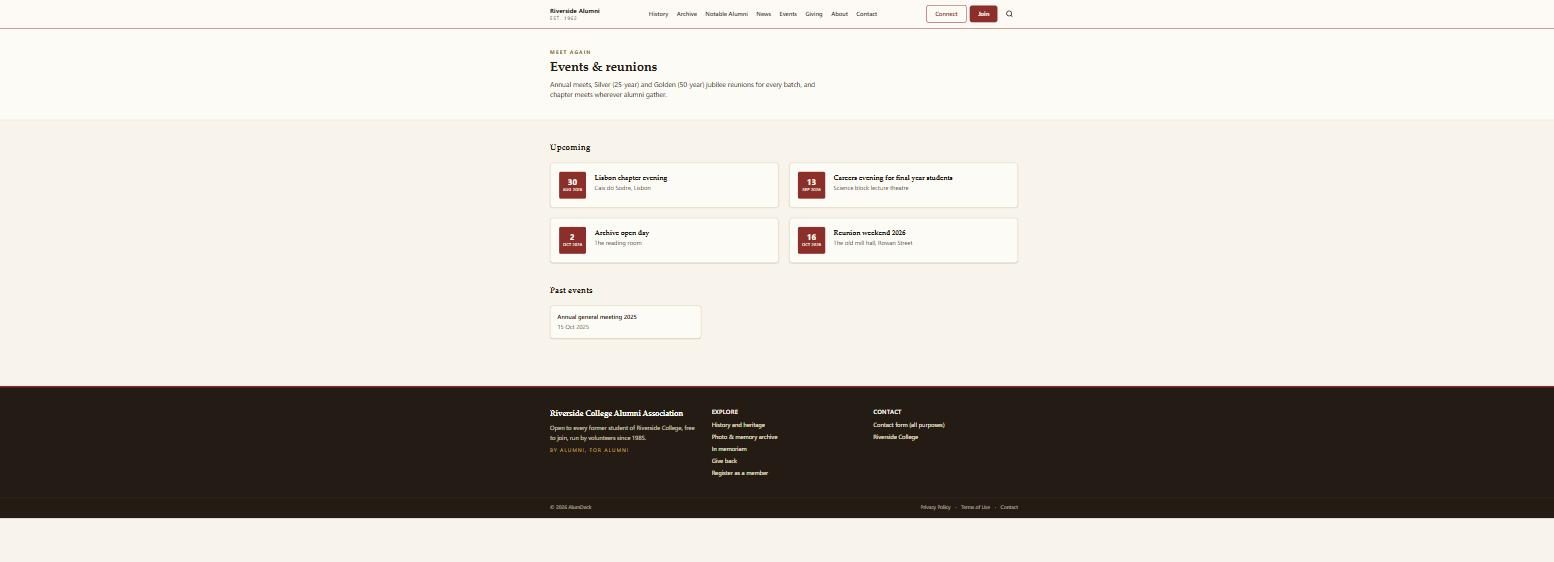
Why there is no demo site you can click through
Because a public demo with an open admin login is a public demo full of abuse within about a week. Anyone can post to it, upload to it and rename the institution, and every visitor after that sees the mess rather than the software. The usual fix is a sandbox that wipes itself every hour, and building that properly is a week of work we would rather spend on the product itself right now.
A demo is planned. We are not putting a date on it, because a date we miss says more about us than no date does.
What you can do in the meantime
- Ask for any screen you want to see. Email hello@alumdeck.com naming the screen, the admin panel included, and you get a screenshot back rather than a sales call.
- Read the feature pages. Each one states what the module does and where it stops.
- Check your hosting against the published requirements before you spend anything.
- Ask a direct question. If AlumDeck cannot do the thing you need, we will tell you, because a refund request is more expensive for us than a lost sale.
The whole product, on your server, for $49
One licence, every module, unlimited members, and a year of updates and support while you settle in.
Want a screen that is not on this page? Email hello@alumdeck.com and we will send it.